Shared conversation — your replies will be saved as your own copy.
Loading board registry...
Waiting for board
registry...
👋 Hello! I'm your campaign intelligence assistant.
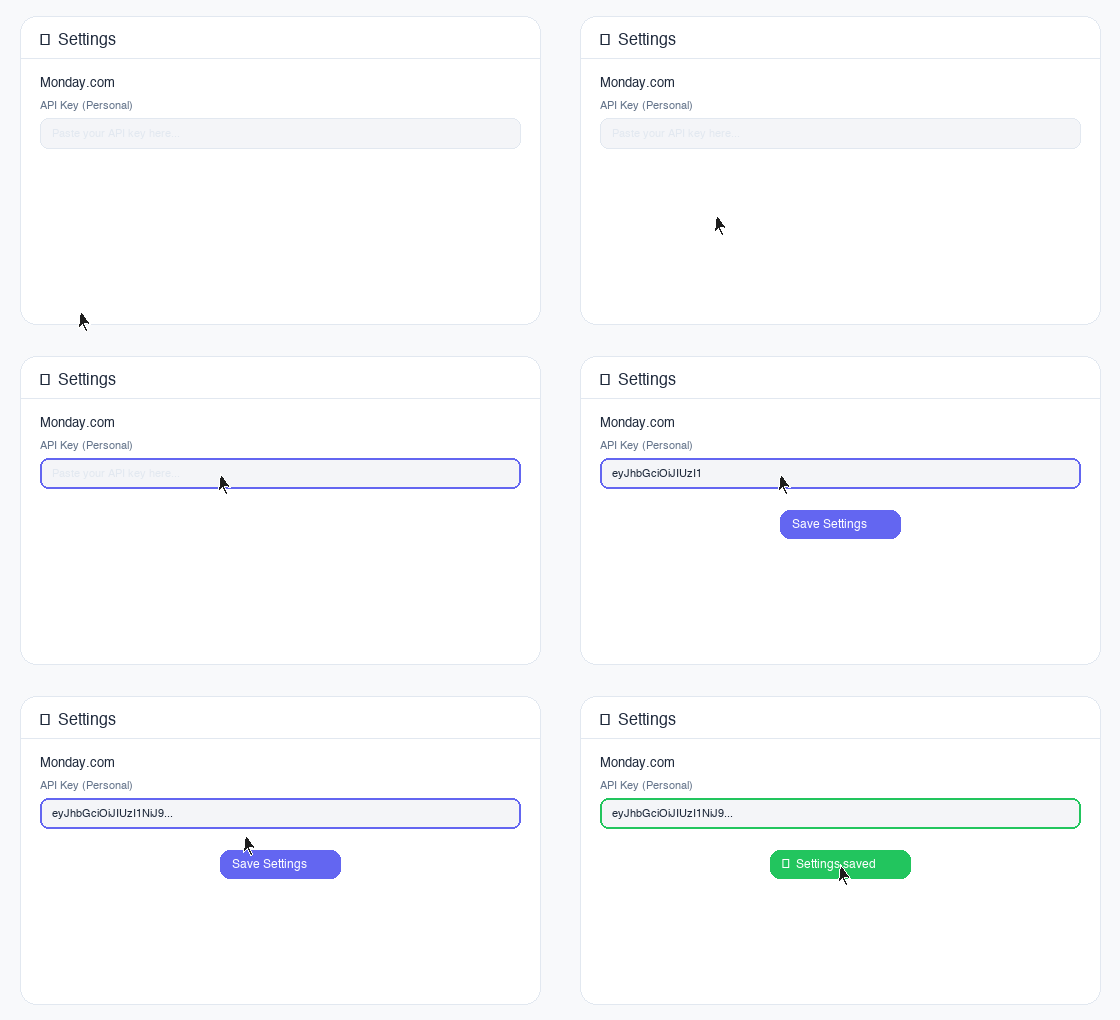
To get started, open Settings on the right to connect your Monday.com API key, then use the Campaign Board Focus bar above to select boards and click Load Selected Data.
Just now
Listening…
Connect Google Workspace
Link your Google Chat, Drive, and Gmail to let the AI
cross-reference team discussions, documents, and emails with your campaign data.
Welcome to Digimetrics Chatbot
Sign in with your Google account to load your conversation history and settings across all your devices.
Google sign-in is temporarily unavailable. Enter your email to continue.
Please enter a valid email address.
Quick Prompts
Filter:
Custom prompts sync to cloud automatically
Learned Insights
AI will auto-classify tag & team
The AI also learns
automatically from your chats.
0 selected
These notes are automatically generated by the AI to remember your preferences and project specifics for
future sessions.
M
How to get your Monday.com API Key
1
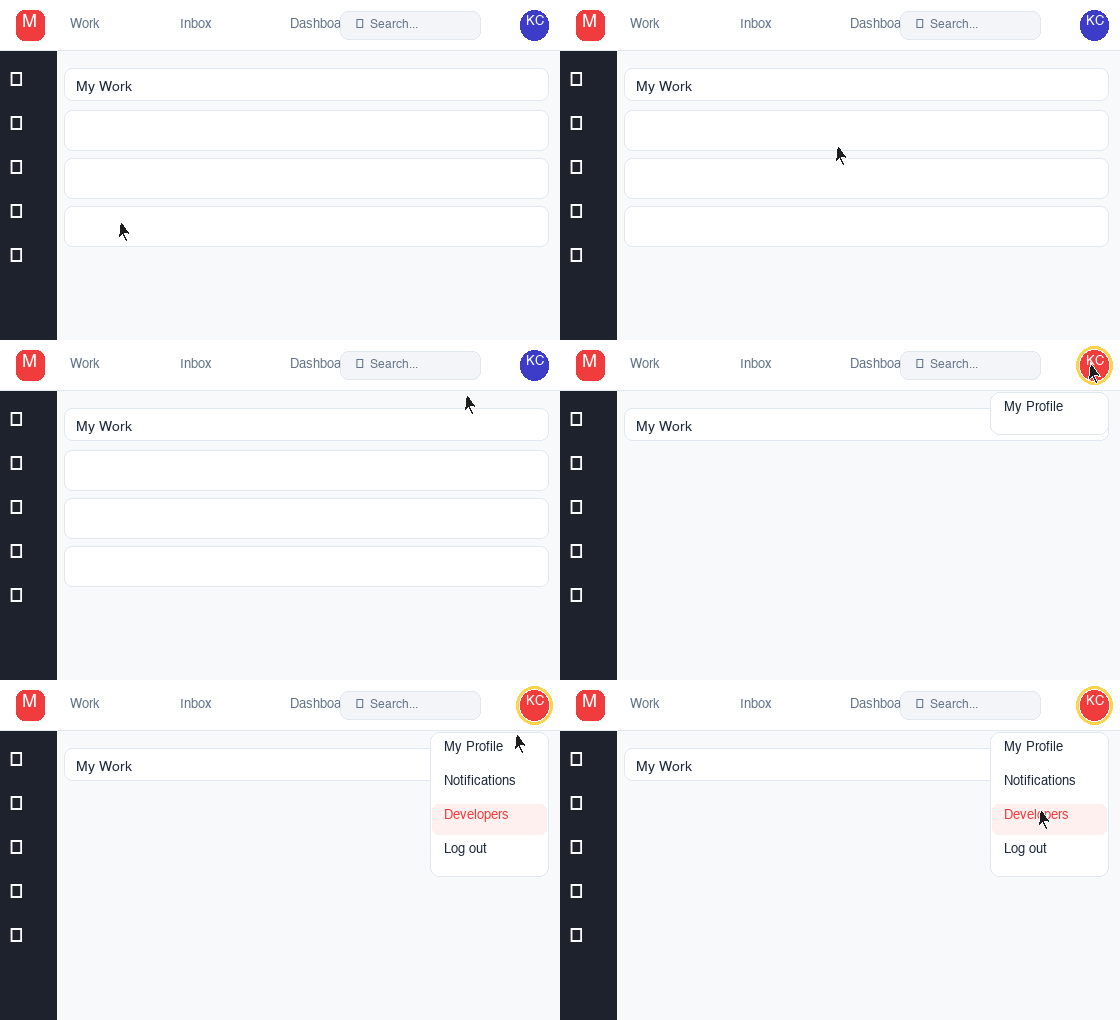
Click your profile avatarIn Monday.com, click your profile picture or initials in the top-right corner of the screen.
Click your avatar in the top-right corner
2
Open the Developers sectionFrom the dropdown menu, click "Developers". This opens the Monday Developer Center.
Select "Developers" from the dropdown
3
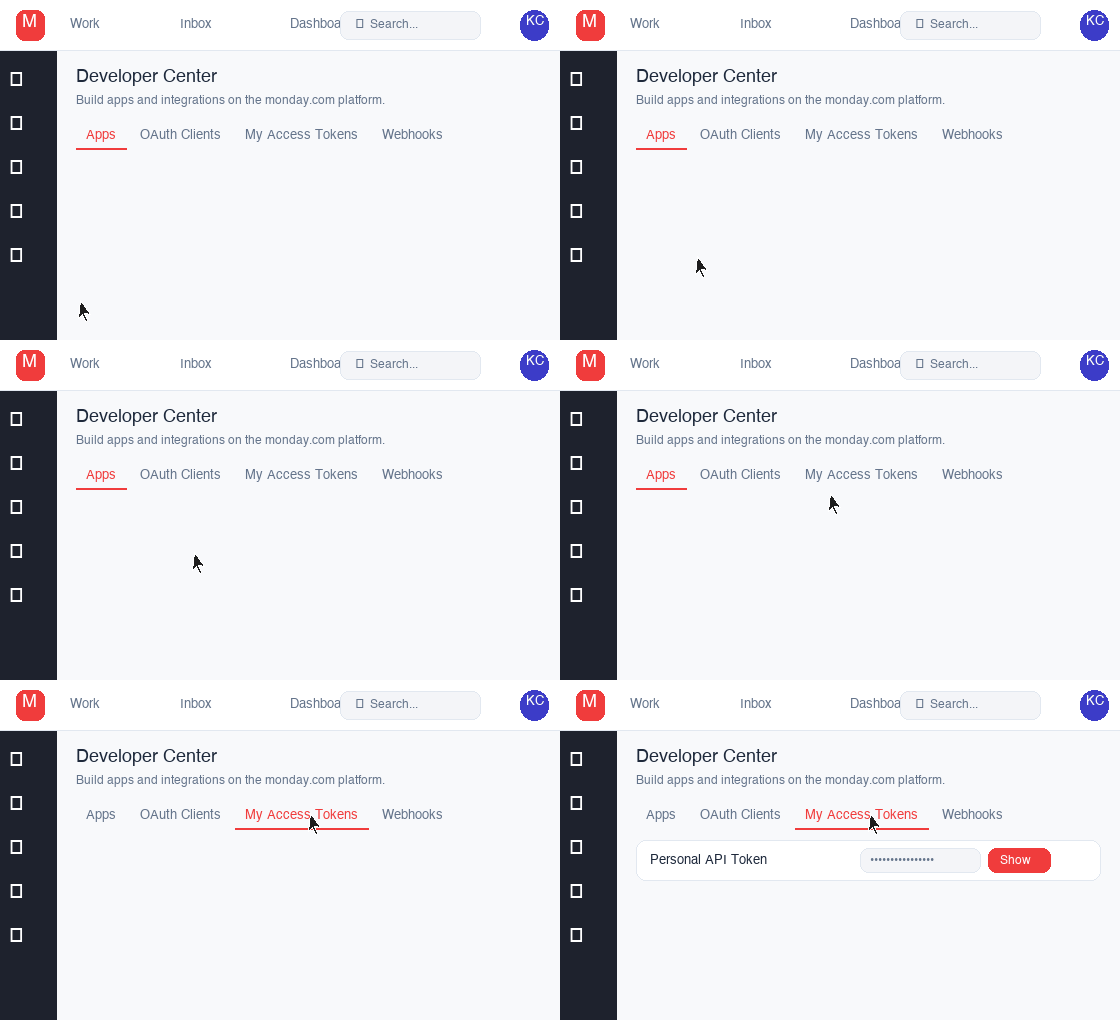
Go to "My Access Tokens"In the Developer Center, click the "My Access Tokens" tab at the top of the page.
Click the "My Access Tokens" tab
4
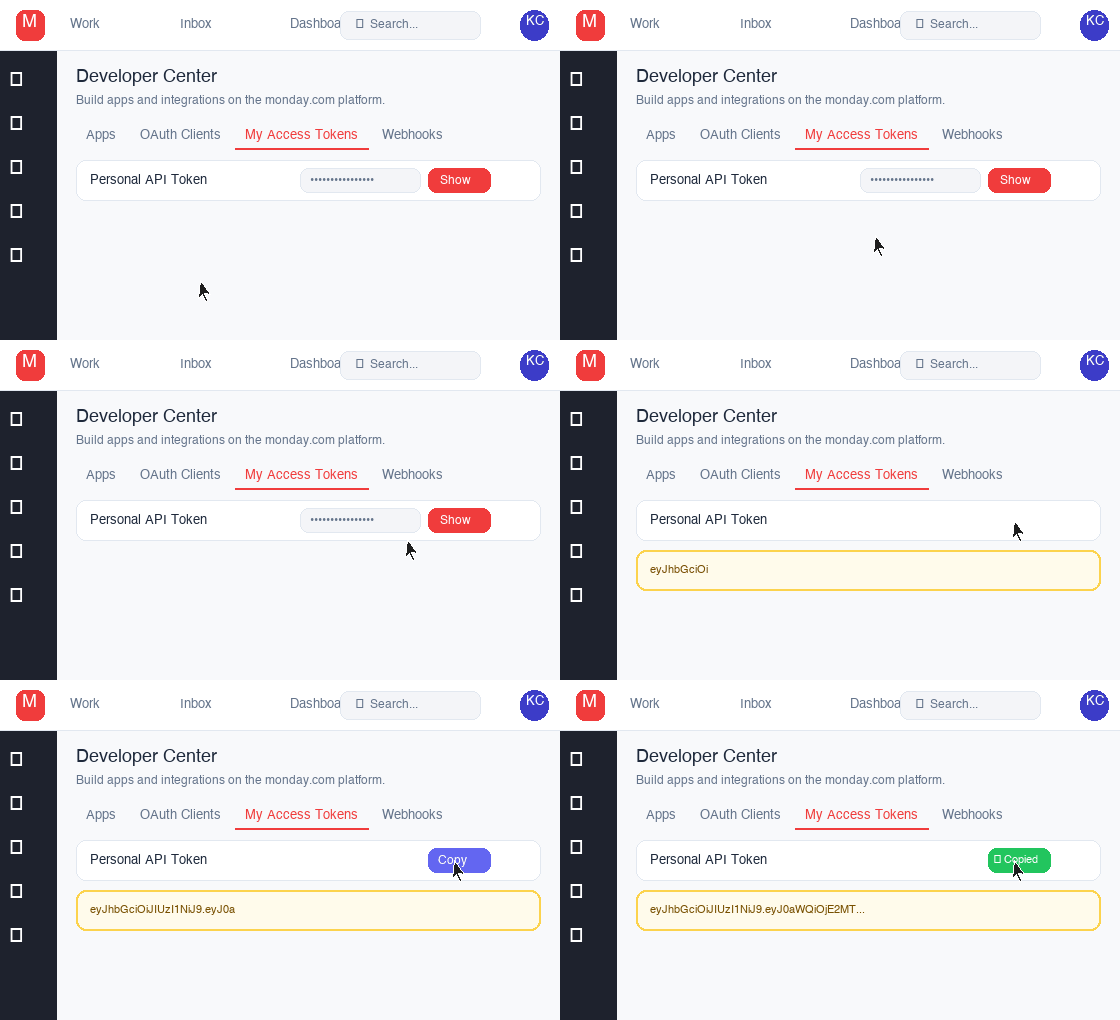
Copy your Personal API TokenClick "Show" to reveal your token, then copy it and paste it into the API Key field in settings.